

Start every recorded call with an all-party-safe disclosure and an opt-out where feasible. That single default protects your firm more than any other decision you’ll make when you set up call recording compliance. From there, the checklist gets specific fast.
- Scope recording by extension or queue, and document the business purpose behind each category you record.
- Log consent events with immutable timestamps before recording starts, and store that log with the call record itself.
- Encrypt recordings in transit and at rest, restrict access by role, and automate retention and deletion schedules.
- Test the disclosure flow on every call path, audit access logs quarterly, and route cross-jurisdiction or regulated-industry questions to counsel.
Pro Tip: Treat “all-party consent” as your organizational default even if your headquarters state only requires one party to agree. It’s far cheaper to over-notify than to defend a wiretap claim from a customer in a stricter state.
Key Takeaways
Compliant call recording works when the default is all-party-safe notice, consent events are logged immutably, and access stays encrypted and role-restricted.
| Point | Details |
|---|---|
| Default to all-party consent | Applies stricter notice on every call to protect against multi-state exposure. |
| Log every consent event | Timestamp and store consent records alongside the call itself, not separately. |
| Encrypt and restrict access | Use TLS/SRTP in transit, KMS encryption at rest, and role-based playback permissions. |
| Automate retention and deletion | Set schedules by recording purpose and build deletion workflows with legal-hold options. |
| Talkroute maps to these controls | Offers per-queue recording, consent logging, encrypted storage, and RBAC in one platform. |
Table of Contents
- What Does Call Recording Compliance Actually Cover?
- Consent Law Basics: One-Party vs. All-Party States
- What Technical Controls Does a Compliant System Need?
- How Do You Set Up a Compliant Recording Program?
- How Do You Choose a Compliant Recording Vendor?
- How Do You Test and Audit Your Recording Setup?
- What Are the Most Common Call Recording Compliance Mistakes?
- Sample Disclosure Scripts and Retention Policy Language
- When Should You Consult Legal Counsel on Call Recording?
- A Product-Team Note on Recording Defaults
- Get Compliant Call Recording Without Building It Yourself
- Where to Verify These Rules Yourself
- Sources
What Does Call Recording Compliance Actually Cover?
Call recording compliance sits at the intersection of three legal layers, and missing any one of them creates exposure. Federal law sets a floor. State law often raises the bar. Industry rules can raise it again.
- Federal baseline: 18 U.S.C. § 2511 permits recording with one-party consent, meaning the business itself can legally record without telling the other party, unless state law says otherwise.
- State variation: Some states require all-party consent, and the FCC confirms there’s no single federal rule that overrides these state statutes, which pushes multi-state businesses toward the stricter standard by default.
- Industry overlays: HIPAA governs recordings containing protected health information, PCI DSS governs anything touching payment card data, and SEC retention rules apply to many financial-services conversations.
- Cross-jurisdiction calls: When a caller and an agent sit in different states, the safe operational rule is to apply whichever law is strictest between them, every time.
Consent Law Basics: One-Party vs. All-Party States
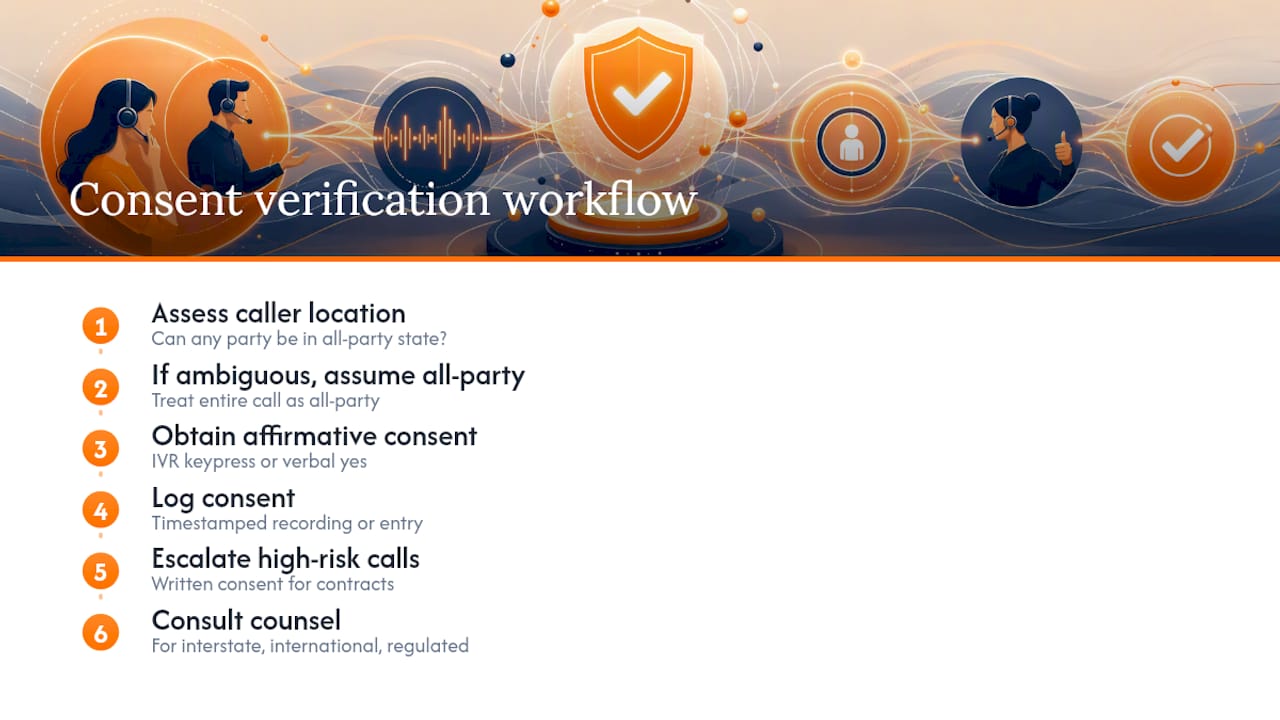
The federal wiretap statute is your floor, not your ceiling. 18 U.S.C. § 2511 makes it legal to record a call as long as one participant, which can be your business, knows about it and agrees. But several states, including California, Florida, and Illinois, require every party on the line to consent. Since you often can’t confirm where a mobile caller is physically sitting, the only defensible operational rule is this: if any party could plausibly be in an all-party state, treat the entire call as all-party.
That means affirmative consent, not a passive announcement buried in hold music.
Sample IVR script (all-party-safe): “This call may be recorded for quality and training purposes. If you do not wish to be recorded, please press 1, or hang up and call back.”
Sample live-agent script: “Before we continue, I want to let you know this call is being recorded for [purpose]. Are you okay with that?” Wait for a verbal yes before proceeding with substantive discussion.
Pro Tip: A generic “this call may be recorded” disclosure is passive notice. Best practice, especially in strict states, ties disclosure to an actual consent event, a keypress, a verbal yes, or a logged acknowledgment, rather than assuming silence means agreement.
Verbal consent, properly logged with a timestamp, satisfies most everyday business calls. Written consent becomes the safer choice for long-term contracts, high-value transactions, or communications already governed by a signed agreement, where a recorded “yes” alone might not hold up if the relationship sours.
None of this substitutes for legal review. Interstate calls with ambiguous facts, international callers, or recordings that touch a regulated industry deserve a conversation with counsel before you flip the switch.
What Technical Controls Does a Compliant System Need?
Legal rules only matter if your platform can actually enforce them. A compliant recording system needs consent gating that stops recording, or logs a refusal, the moment a caller declines. Every consent event should generate an immutable, timestamped record tied to the specific call ID, not a general note in a shared spreadsheet.
Beyond consent, look for:
- Granular scope control: per-extension or per-queue recording settings, with the ability to pause or stop recording mid-call for sensitive topics like payment collection.
- Encryption everywhere: TLS or SRTP for data in transit, KMS-backed encryption at rest, and ideally per-tenant key options so your recordings aren’t sitting in a shared, undifferentiated pool.
- Role-based access: least-privilege playback permissions, short-lived signed URLs for downloads instead of permanent links, and a logged audit trail every time someone listens to a recording.
- Retention automation: legal-hold capability, deletion APIs for handling access or erasure requests, and WORM-style (write once, read many) retention for anything subject to regulatory rules.
If your recordings ever touch protected health information, HHS guidance on what qualifies as PHI makes clear that recorded audio containing patient details is treated the same as any other medical record, encryption and business associate agreements included.
How Do You Set Up a Compliant Recording Program?
Building the program is a sequence, not a checklist you complete in a single afternoon. Work through it in this order:
- Set your default disclosure posture. For any business operating across state lines, default to all-party notice on every line rather than trying to detect caller location in real time.
- Map your call flows. Decide which extensions and queues actually need recording, and write down the business purpose (QA, training, dispute resolution) for each one.
- Wire up consent prompts. Build the IVR and agent scripts, connect them to your consent-logging system, and confirm notice happens before substantive conversation, not after.
- Configure retention rules. Set different schedules by recording category, build a deletion workflow for expired recordings, and turn on audit logging with alerts for unusual access.
- Train your team and document everything. Write agent scripts, run role-based training for anyone who can access recordings, and compile the whole setup into a compliance playbook your team can reference later.
Documentation matters as much as the technical build. A business call management approach that assigns clear ownership over recording categories makes it far easier to prove, months later, exactly why a given queue was recorded and who approved it.
- Assign a single owner for the compliance playbook, even if IT and legal both contribute.
- Revisit the disclosure posture annually, since state laws shift more often than most businesses expect.
How Do You Choose a Compliant Recording Vendor?
Vendor selection is where good intentions often fall apart. A platform that “supports call recording” isn’t the same as one built to prove compliance when a regulator or plaintiff’s attorney comes asking.
Ask any vendor to demonstrate:
- Consent-event logging tied to call IDs, not just a general recording toggle.
- Per-tenant encryption keys, SOC 2 or ISO 27001 audit reports, and documented support for business associate agreements if PHI is ever in play, consistent with HIPAA’s security requirements.
- Retention automation with deletion APIs and legal-hold functionality, not a manual export-and-delete process.
- Role-based playback controls and a visible audit log for every access event.
This SaaS security compliance checklist is a useful cross-check for the security-side questions your procurement team should be asking regardless of vendor.
An integrated platform that handles call routing and recording together tends to reduce configuration risk versus stitching together three separate tools, since retention and access settings live in one place instead of three.
How Do You Test and Audit Your Recording Setup?
A compliant setup on paper isn’t the same as one that works in production. Run these test cases before rollout, then repeat them on a schedule:
- Inbound IVR disclosure across every entry point, including transfers and voicemail.
- Outbound agent disclosure, confirmed against the actual script agents use.
- A simulated cross-state call to confirm the stricter jurisdiction’s rule triggers correctly.
- Consent refusal handling, confirming the system stops or flags recording appropriately.
- Mid-call pause and resume, especially around payment collection.
Track consent-event rates, recording error rates, and unexplained access attempts as ongoing metrics rather than one-time checks. Detailed call reporting and analytics make this kind of monitoring far less manual.
- Monthly: spot-check access logs for unusual playback activity.
- Quarterly: review recording configuration against current call flows.
- Annually: run a full legal and technical audit together.
What Are the Most Common Call Recording Compliance Mistakes?
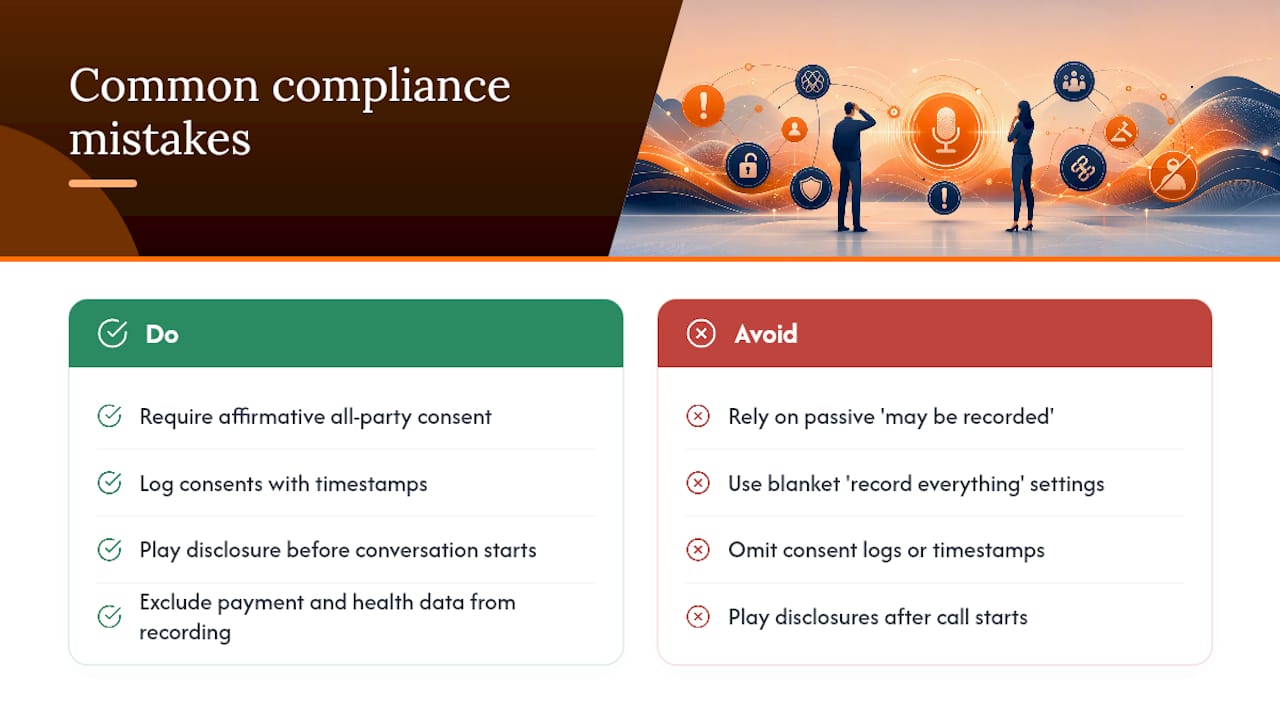
Most violations trace back to a handful of repeated errors. A passive “this call may be recorded” message in a state that requires affirmative all-party consent doesn’t hold up on its own. Blanket “record everything” settings sweep up payment details or health information that should never have been captured in the first place. Consent logs that don’t exist, or disclosures that play after the substantive conversation already started, are just as risky as no disclosure at all.
Pro Tip: If your access logs can’t answer “who listened to this recording and when” within thirty seconds, your access control setup has a gap worth fixing immediately.
Sample Disclosure Scripts and Retention Policy Language
Adapt these directly into your IVR and agent scripts, and your written policy.
One-party-safe IVR line: “This call is being recorded for quality purposes.”
All-party affirmative version: “This call will be recorded for quality and training. Press 1 to continue, or hang up if you’d prefer not to be recorded.”
Sample policy clause: “Recordings are made for [stated purpose] only, apply to [named queues/extensions], are accessible solely to [named roles] under logged access controls, and are retained per the schedule below unless subject to an active legal hold.”
When Should You Consult Legal Counsel on Call Recording?
This article is general guidance, not legal advice, and specific fact patterns, especially cross-border calls, deserve a lawyer’s review.
- Does this recording category qualify as PHI under HIPAA?
- How should we treat interstate calls for this specific queue?
- What retention period applies to our vertical, and does a legal hold change it?
A Product-Team Note on Recording Defaults
We’ve found the safest posture is defaulting to the strictest reasonable consent rule and keeping every configuration auditable, not just functional. Pair legal review with a real technical smoke test before any broad rollout. Configurations drift; audits catch it.
Get Compliant Call Recording Without Building It Yourself
Talkroute gives you the technical controls this guide describes, without a custom engineering project. Per-queue recording settings let you record only the extensions that need it, consent logging ties each disclosure to the call record automatically, and stored audio stays encrypted with role-based access so only the right people can play it back.
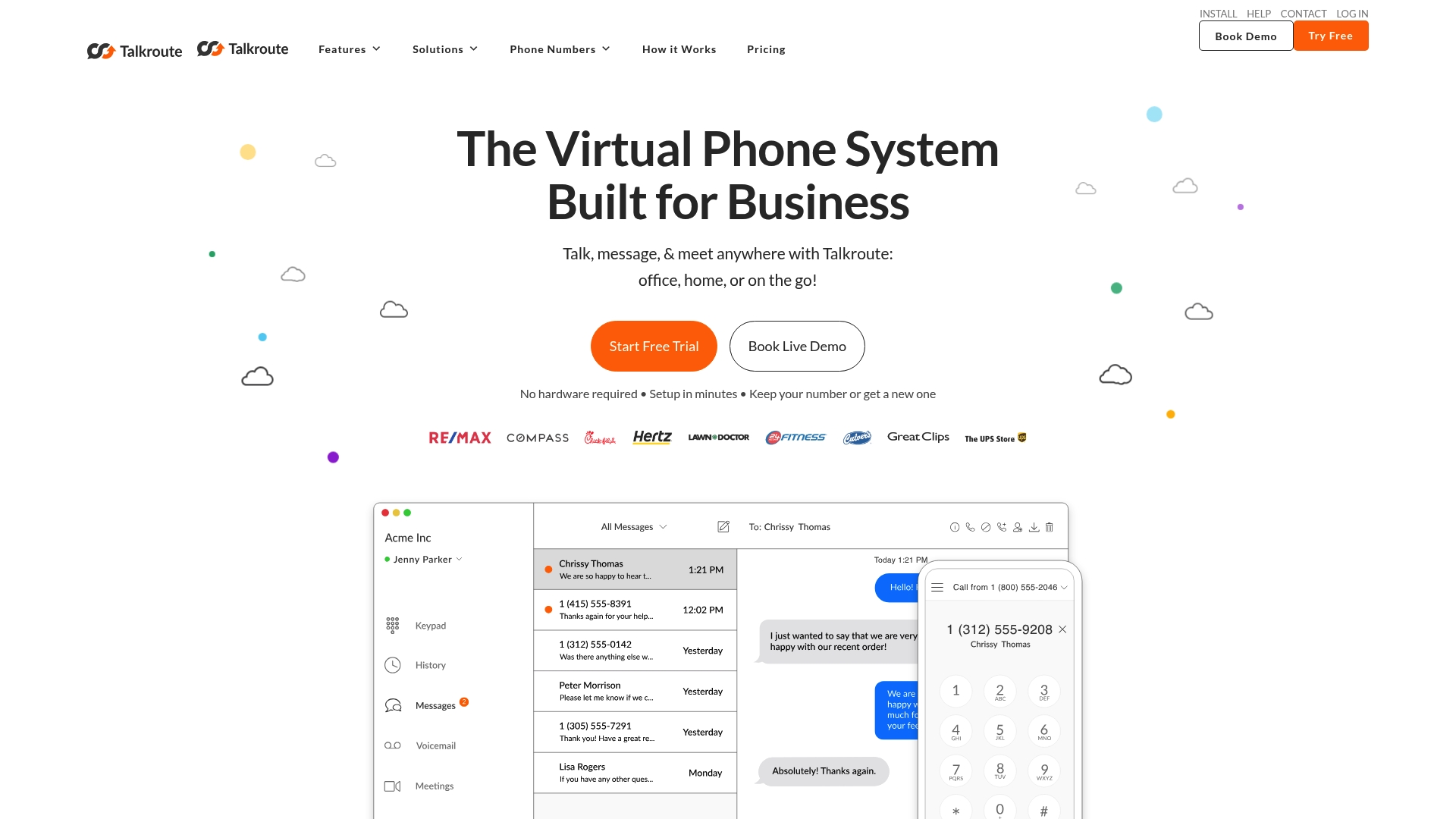
Retention settings can be configured by category, so quality-assurance recordings and billing-dispute recordings don’t share the same deletion clock. If your current setup relies on a patchwork of separate tools for routing, recording, and access control, a cloud phone system that handles all three together removes a lot of the configuration risk this article covers. Review the call recording feature directly, or explore how to centralize your business communication tools in a few practical steps and start a trial to see your own call flows configured correctly.
Where to Verify These Rules Yourself
Confirm current requirements directly with primary sources before finalizing your policy.
- 18 U.S.C. § 2511 for the federal wiretap baseline.
- FCC guidance on recording calls for the state-patchwork issue.
- HHS HIPAA Security Rule for PHI-related recordings.
- Build a state-by-state consent survey and involve counsel for any edge case.
This article is general information, not a substitute for advice from a qualified lawyer. Consult a qualified legal professional about your own circumstances before acting on anything here.
Sources
- 18 U.S.C. § 2511 — Interception and disclosure of wire, oral, or electronic communications
- Recording telephone conversations — FCC consumer guide
- HIPAA Security Rule — HHS
Recommended
- Why You Should Use Call Recording to Monitor Business Calls
- Set Up Call Screening for Your Small Business: A Practical Guide
- Best Business Process Software for SMBs: 2026 Guide

Stephanie
Stephanie is the Marketing Director at Talkroute and has been featured in Forbes, Inc, and Entrepreneur as a leading authority on business and telecommunications.
Stephanie is also the chief editor and contributing author for the Talkroute blog helping more than 200k entrepreneurs to start, run, and grow their businesses.